
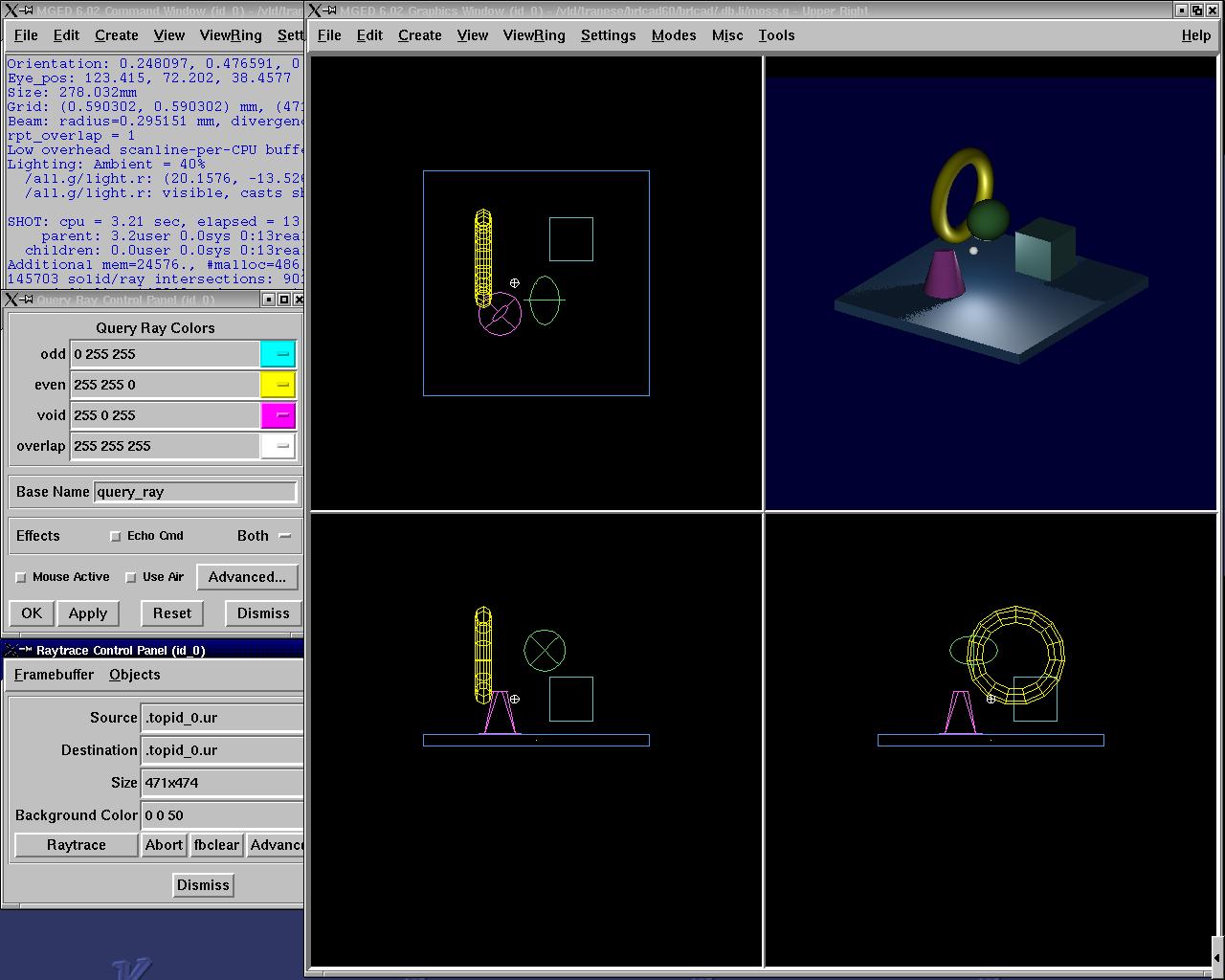
Introduction to Tcl/Tk
On this page
- What is Tcl/Tk?
- Benefits of Tcl/Tk
- Tcl/Tk-Based GUI for MGED
- Tcl Syntax
- Variables
- Lists
- Arrays
- Special Characters
- Special Character Examples
- Special Character Examples (cont’d)
- Special Character Conflicts
- Special Character Interpretation
- Expressions
- Control Flow
- Control Flow (cont’d)
- Control Flow (cont’d)
- Control Flow (cont’d)
- MGED Commands
- MGED Commands (cont’d)
- MGED Examples
- MGED Examples (cont’d)
- Procedures
- Procedure Example
- Procedure Example (cont’d)
- The "source" Command
- MGED Defaults
- MGED Customization
- [incr Tcl/Tk]
- Useful References
What is Tcl/Tk?
-
Tool Command Language/ToolKit.
-
Tcl is an embeddable and extensible interpreted language.
-
Tk is a toolkit for building user interfaces.
-
Combined, they provide a programming system for development and use of GUI applications.
Benefits of Tcl/Tk
-
Ease of providing applications with a powerful scripting language
-
An excellent "glue language"
-
User convenience
-
Portability
Tcl Syntax
-
A command is a list of words.
-
First word on the command line is the command name, any additional words are arguments.
      -- command [arg1 ... argn
      mged> puts "Hello World"
      Hello World
-
Words can be grouped with double quotes (" ") or curly braces ({}).
-
Commands are terminated with a newline or semicolon.
Variables
-
Variable names are case-sensitive.
-
Declarations are not necessary.
-
set varName [value]
-
Assigns value to the variable varName.
      mged> set day Friday

      Friday
      mged> set day
      Friday

      mged> set day 25

      25
Lists
-
An ordered set of strings
-
Specified with curly braces
      mged> set colors {red yellow green blue}
      red yellow green blue
-
Sometimes created with "list" command
      mged> set colors [list red yellow green blue]
      red yellow green blue
-
Can extract elements from the list using the "lindex" command (indices start at zero)
      mged> lindex {red yellow green blue} 2
     green
Arrays
-
Uses associative arrays
-
— Strings used to index the array elements
-
      mged> set profit(January) 1500
      1500
      mged> set profit(February) -200
      -200
    mged> set profit(January)
    1500
Special Characters
-
Dollar sign $
--Substitutes the value of the variable
-
Square brackets [ ]
— Replaces contents with the result of evaluating the command
-
Backslash \
— Allows special characters such as newlines, [, and $ to be inserted without being treated specially
-
Double quotes " "
— Allows special characters to be processed normally
-
Curly braces {}
— Disables special characters
-
Parentheses ()
— Delimits key values in arrays
-
Hashmark #
— At the beginning of a line, signifies a comment to follow
Special Character Examples
      mged> set name Elvis
      Elvis
      mged> puts "Hello name"
      Hello name
     mged> puts "Hello $name"
     Hello Elvis
      mged> set len [string length $name]
      5
-
— string length $name returns 5
-
— len gets the value 5
Special Character Examples (cont’d)
      mged> set price 1.41
      1.41
      mged> puts "Gasoline: \$ $price/gallon"
      Gasoline: $1.41/gallon
      mged> puts {Gasoline: \$ $price/gallon}
      Gasoline: \$ $price/gallon
      mged> set product 1; #This is a comment
      1
Special Character Conflicts
-
MGED traditional "name globbing" characters conflict with Tcl/Tk usage:
-
— MGED follows Unix shell filename patterns.
-
— Tcl/Tk has different interpretation of * and [].
-
-
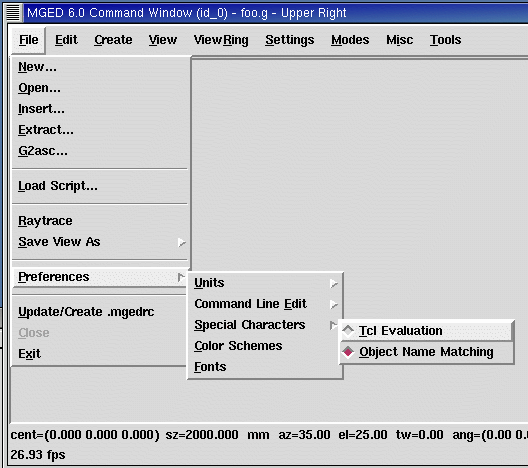
Users can select which interpretation of special characters:
-
.mgedrc: set MGED variable
-
glob_compat_mode
-
set glob_compat_mode 0 (for Tcl evaluation)
-
set glob_compat_mode 1 (for object name matching)
-
Menu: File→Preferences→Special Characters
-
Special Character Interpretation
-
Special Character Interpretation
Expressions
-
The expr command is used to evaluate math expressions.
      mged> expr 2 + 2

      4

      mged> expr (3 + 2) * 4

      20

      mged> in ball.s sph 0 0 0 [expr 3 + 4]
— A sphere is created with a vertex (0,0,0) and a radius of 7.
Control Flow
      if {test} {body1} [else {body2}]

      mged> set temp 90

      90

      mged> if {$temp > 75} {

      puts "It's hot"

      } else {

      puts "It's moderate"

      }

      It's hot
Control Flow (cont’d)
      while {test} {body}

      mged> set time 3

      3

      mged> while {$time > 0} {

      puts "Time is $time"

      set time [expr $time - 1]

      }
Time is 3
Time is 2
Time is 1
Control Flow (cont’d)
      for{init} {test} {reinit} {body}
      for {set time 3} {$time > 0} {set time [expr $time - 1]} {puts "Time is $time"}
Time is 3
Time is 2
Time is 1
Control Flow (cont’d)
      foreach
      varList list{body}
      mged>
      foreach fruit {apples pears peaches} {
      puts "I like $fruit"}
I like apples
I like pears
I like peaches
      mged>
      foreach {key val} {sky blue grass green snow white} {
      puts "The $key is $val"
      }
The sky is blue
The grass is green
The snow is white
MGED Commands
     get
     obj[attr]
     Returns a list of the object's attributes. If attr is specified,
      only the value for that attribute is returned.
      mged>
      get foo.r
      comb region yes id 200 los 100 GIFTmater 2 rgb {100 100 100}
      mged>
      get foo.r rgb
      100 100 100
      mged>
      get foo.s
      ell V {0 0 0} A {4 0 0} B {0 4 0} C {0 0 4}
MGED Commands (cont’d)
-
adjust obj attr value[attr value]
-
Modifies the object’s attribute(s) by adjusting the value of the attribute(s) to the new value(s).
-
-
ls[-c -r -s]
-
Without any options, lists every object in the database.
-
With the "c" option, lists all nonhidden combinations; "r" option lists all nonhidden regions; and "s" option lists all nonhidden primitives.
-
MGED Examples
-
Task: Change the color of all regions to blue.
      mged>
      foreach region [ls -r] {
      adjust $region rgb {0 0 255}
      }
-
Task: Print all regions with nonzero air codes.
Task: Print all regions with nonzero air codes.
      mged>
      foreach reg [ls -r] {
      if {[get $reg air] != 0} {
      puts "$reg"
      }
      }
MGED Examples (cont’d)
-
Task: Print all objects with the inherit flag set.
      mged> foreach obj [ls -c] {
      if {[get $obj inherit] == "yes"} {
      puts "$obj"
      }
      }
Procedures
-
User-Defined commands
-
proc
      procName{args} {body}
      mged>
      proc add {x y} {
      set answer [expr $x + $y]
      return $answer
      }
      mged>add 123 456
      579
-
Create new MGED commands
-
Save in .mgedrc
Procedure Example
-
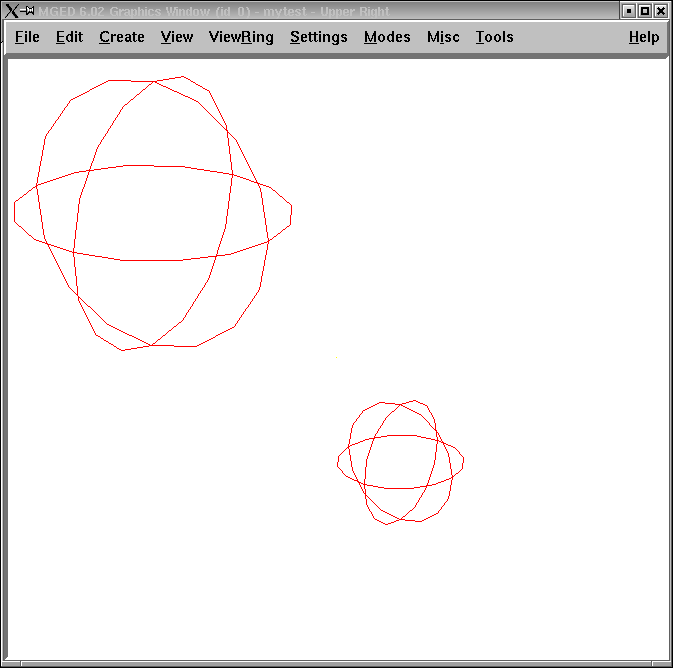
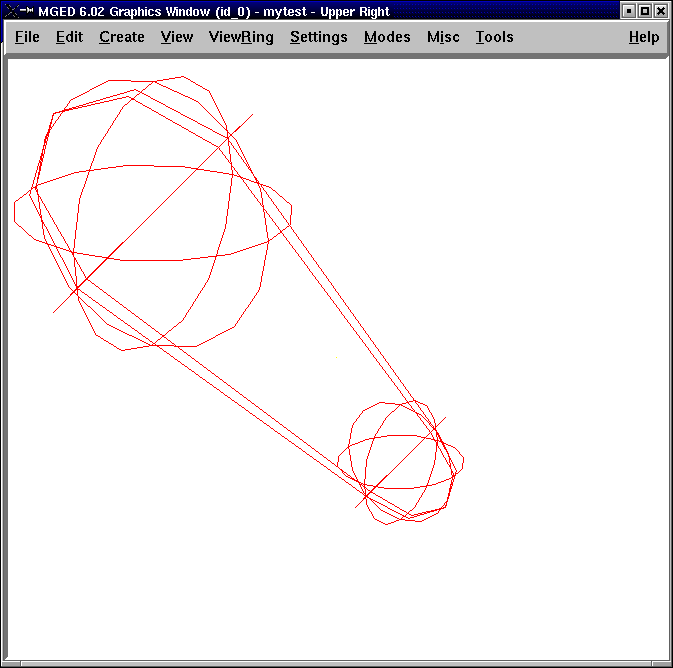
Procedure that generates a PART that encompasses two specified SPHs
    proc sph-part {sph1 sph2 newname} {
    foreach {vx1 vy1 vz1} [lindex [get $sph1 V] 0] {}
    foreach {vx2 vy2 vz2} [lindex [get $sph2 V] 0] {}
    foreach {ax1 ay1 az1} [lindex [get $sph1 A] 0] {}
    foreach {ax2 ay2 az2} [lindex [get $sph2 A] 0] {}
    set radius1 [expr sqrt($ax1*$ax1 + $ay1*$ay1 + $az1*$az1)]
    set radius2 [expr sqrt($ax2*$ax2 + $ay2*$ay2 + $az2*$az2)]
    set hx [expr $vx2-$vx1]
    set hy [expr $vy2-$vy1]
    set hz [expr $vz2-$vz1]
    in $newname part $vx1 $vy1 $vz1 $hx $hy $hz $radius1 $radius2
    }
Procedure Example (cont’d)
 mged>
sph-part s1.s s2.s part.s
The "source" Command
-
source fileName
-
Reads and executes the file as a Tcl script.
-
-
Create the file with a text editor.
-
Reload the file with "source" changes are made.
-
The proc or the source command can be placed in .mgedrc.
MGED Defaults
-
Create the default .mgedrc from inside MGED:
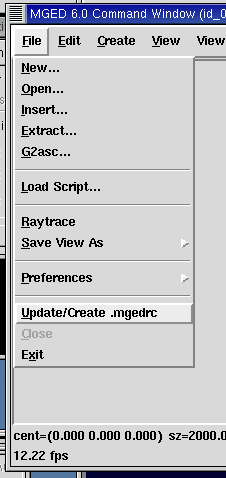
MGED Customization
-
Placed in the file
mgedrc
In local directory or home
MGEDRC_HEADER
\# You can modify the values below. However, if you want
\# to add new lines, add them above the MGEDRC_HEADER.
\# Note - it’s not a good idea to set the same variables
\# above the MGEDRC_HEADER that are set below (i.e., the last
\# value set wins).
\# Determines the maximum number of lines of
\# output displayed in the command window
set mged_default(max_text_lines) 1000
[incr Tcl/Tk]
-
Object-oriented extension to Tcl.
-
Provides support to build large programs.
-
New applications in BRL-CAD are being written in [incr Tcl/Tk].
Useful References
-
Raines, Paul. Tcl/Tk Pocket Reference. O’Reilly & Associates, Inc., Sebastopol, CA, 1998.
-
Ousterhout, John K. Tcl and the Tk Toolkit. Addison-Wesley, Reading, MA, 1994.
-
Welch, Brent B. Practical Programming in Tcl and Tk, Second Edition. Prentice Hall, Upper Saddle River, NJ, 1997.